tutorials
How to Accept Payments on Location as a Mobile Beauty Pro
If you work at clients' homes, venues, or pop-ups, you need a way to get paid on the spot. Here are the options, what Tap to Pay on iPhone requires, how published rates compare, and the questions to ask before you pick a provider.
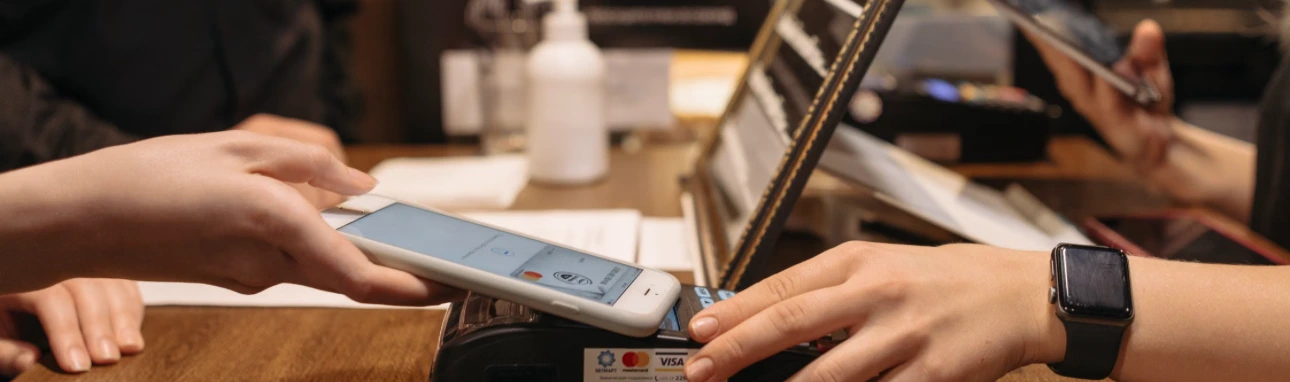
Quick answer: With an iPhone XS or later and a supported payment app, you can accept contactless cards and wallets using Tap to Pay on iPhone, with no card reader. Chip and swipe cards need a separate reader. Published rates run about 2.3% to 2.6% plus a few cents per tap, so compare rates, payouts, and holds first.
Updated October 2026. Rates, requirements, and providers change. Confirm details with any provider before you sign up.
Mobile beauty pros, from makeup artists to braiders to hairstylists who travel, share one problem: getting paid properly when there is no counter.
Cash leaves no record. A payment app link works, but is clunky. Today your phone can do the job.
What Are Your Options?
| Option | How it works | Watch for |
|---|---|---|
| Tap to Pay on iPhone | Your iPhone reads contactless cards and wallets | Contactless only. Needs internet |
| Bluetooth card reader | A small reader pairs with your phone | Hardware cost, charging, and carrying it |
| Payment link or QR code | Client pays from their own phone | Needs the client to cooperate |
| Manual card entry | You type the card number | Usually a higher rate and a security risk |
| Cash or transfer | No fee | No record, and easy to lose track of |
How Does Tap to Pay on iPhone Work?
According to Apple, Tap to Pay on iPhone lets you accept contactless debit and credit cards and digital wallets, including Apple Pay and Android wallets, with just an iPhone.
What you need:
- An iPhone XS or later (Apple)
- A supported payment app that offers Tap to Pay
- The latest iOS. Some providers set higher minimums than Apple's, so check yours
- An internet connection. Tap to Pay cannot store transactions offline, per one 2026 guide (Fliptexts)
What it does not do:
- It reads contactless cards and wallets, not magnetic stripes, and most apps handle chip-insert cards through a separate reader only, per the same guide
- It is iPhone-focused. Android support depends on the provider, and Apple notes it is not available in all markets
If a client does not have a contactless payment method, Square notes you can use manual card entry, a QR code, or a checkout link.
What Do Published Rates Look Like?
A 2026 Whop guide lists:
| Provider | Published rate per tap |
|---|---|
| PayPal | 2.29% + 9 cents |
| Square | 2.6% + 15 cents |
SwipeSimple notes that Tap to Pay needs no card reader, which can cost $50 to $300, and that you pay the standard card-present rate, the same as with a physical reader.
What does that mean in dollars?
Say you take 50 payments of $80 in a month, $4,000 total. Using the published rates above:
| Provider | Calculation | Monthly fee |
|---|---|---|
| PayPal | 2.29% × $4,000 = $91.60, plus 50 × $0.09 = $4.50 | About $96 |
| Square | 2.6% × $4,000 = $104, plus 50 × $0.15 = $7.50 | About $112 |
That is a difference of about $15 a month in this example. It is real, but small. Payouts, holds, and support often matter more than a fraction of a percent.
Rates change, and online and keyed-in payments often cost more than taps, so check the rate for every way you plan to be paid.
Questions to Ask Before You Choose
- What is the rate for a tap, a keyed-in card, and an online deposit?
- How fast do payouts arrive, and can they be delayed?
- What triggers a hold, how long does it last, and who do I talk to?
- What is the fee for a dispute, and is it refunded if I win?
- Are there monthly fees, hardware costs, or minimums?
- Does it work with my booking tool, so deposits and balances land in one place?
- Can I export my records for taxes?
- What happens to my money if my account is closed?
Get the answers in writing. Our posts on competitor complaints show how often pros report held funds and disputes.
A Setup Checklist for Your First Mobile Appointment
Do this the day before, not in the driveway.
- Update your phone and your payment app, and confirm Tap to Pay is enabled
- Run a small test payment and refund it, so you know the flow
- Charge your phone, and carry a charger or battery pack
- Check your signal. Tap to Pay needs internet, so have a backup like a payment link, or know where the venue's Wi-Fi is
- Bring a backup method, such as a QR code or a checkout link for clients without a contactless card
- Know your policy for deposits, balances, travel fees, and tips
- Plan your receipts. Decide whether you will text or email them
Small habits like these keep a payment problem from becoming a client problem, especially at weddings and events where timing is tight.
How Should I Handle Deposits and Balances?
Travel time is expensive, so protect it.
- Take a deposit at booking, so the day is held before you drive anywhere
- Take the balance on location with a tap or a link
- Put your policy in writing, including a travel fee if you charge one
Our deposit and no-show templates include wording for long and on-location services, and our makeup artist guide shows how bridal pros structure retainers and travel fees.
What About Tips?
Decide how you want to take them before you arrive. Many apps let clients add a tip at payment. If you take tips in cash, keep a record, because tips are income. Our self-employment tax guide covers why records matter.
Do I Need to Pay Tax on These Payments?
Yes. All business income counts, whether it is cash, a card, or an app. Keep your records, set money aside, and talk to a tax professional. See our guide to self-employment taxes for the math.
Get Paid Where You Already Book
If you use Primzy, Tap to Pay is part of the app, starting on iPhone with Android to follow, so a tap on location lands alongside your bookings and client records. Any setup works if it keeps your payments, deposits, and records in one place you can export.
How to Decide
If you have an iPhone XS or later: Try Tap to Pay with a supported app first. You may not need a reader.
If you have an Android phone: Ask your provider whether Tap to Pay is available, or use a Bluetooth reader.
If many clients still use chip cards: Add a reader, or offer payment links.
If you take large bridal or event payments: Ask about holds, limits, and payout timing before the event.
If you are comparing rates: Compare the same three things for each provider: tap, keyed-in, and online deposit.
Sources
- Apple, "Tap to Pay on iPhone"
- Fliptexts, "Tap to Pay on iPhone and Android: The 2026 Guide"
- Square, "Tap to Pay on iPhone"
- Whop, "Tap to pay: A guide to accepting contactless payments" (rates, 2026)
- SwipeSimple, "How Tap to Pay on iPhone Works: Setup, Cost & Requirements"
- Worldpay, "Tap to Pay: Accept contactless payments from your smartphone"